Car Interface Project
Role: UX/UI Designer
Tools: Figma and Photoshop
With this project I wanted to attempt a device specific design. This being a touch screen interface for a car company. I wanted to apply the skills I’ve used professionally with device design to a new industry.
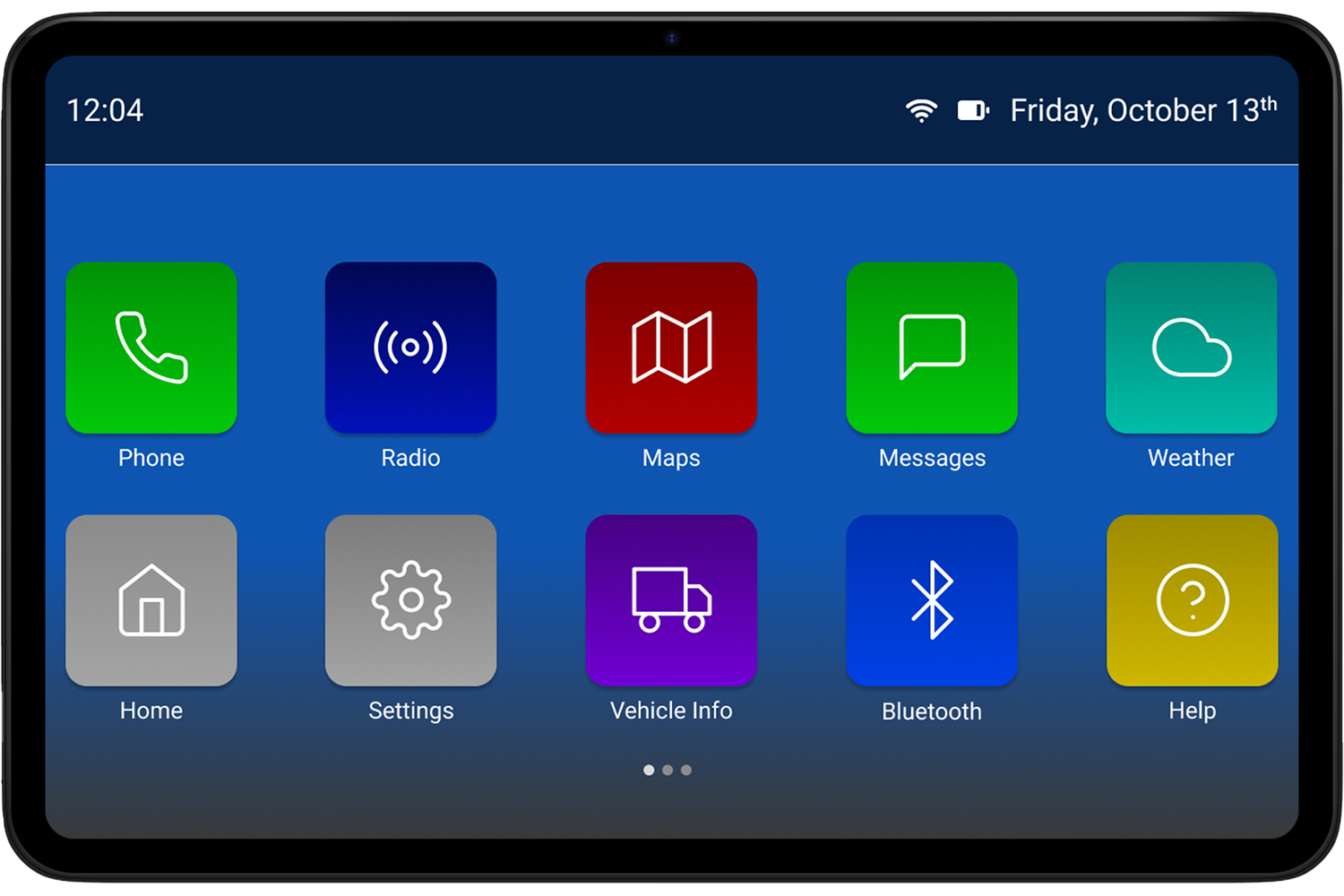
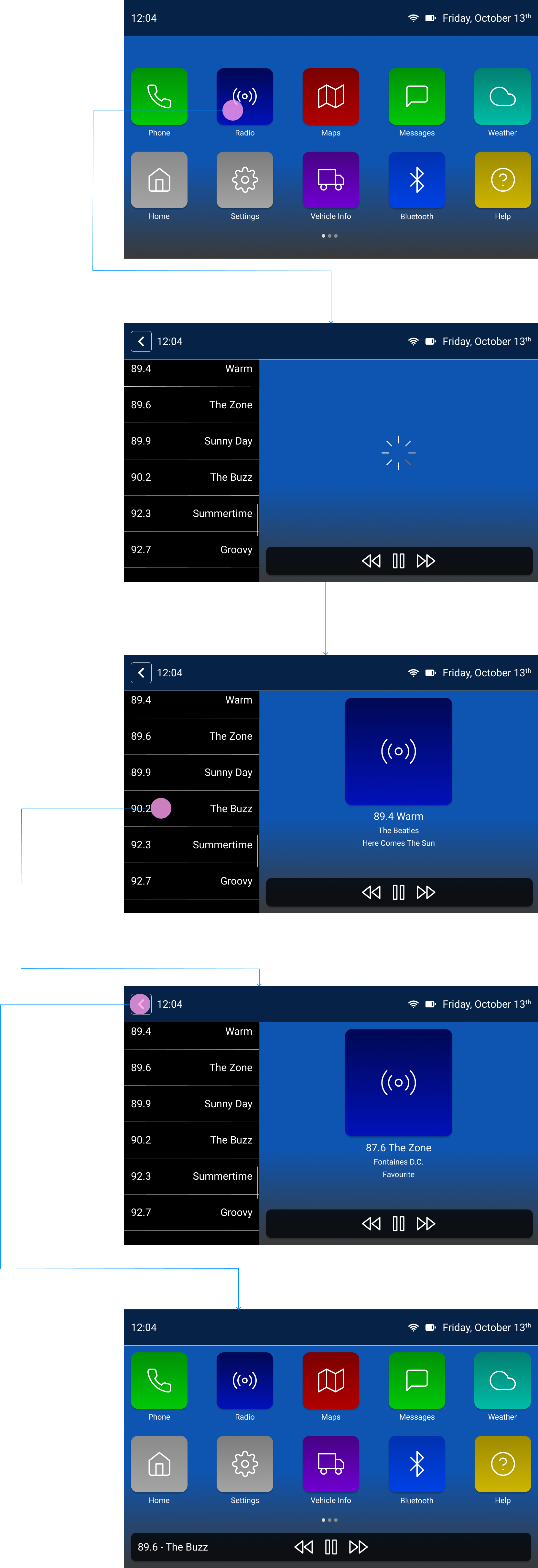
The main screen of the interface uses large icon buttons with distinct colors to help the user navigate the options while maintaining concentration on the road. The Header displays universal information on all screens such as time, date, phone battery and info (if a phone is connected). The Layout offers room for multiple pages of buttons if needed.
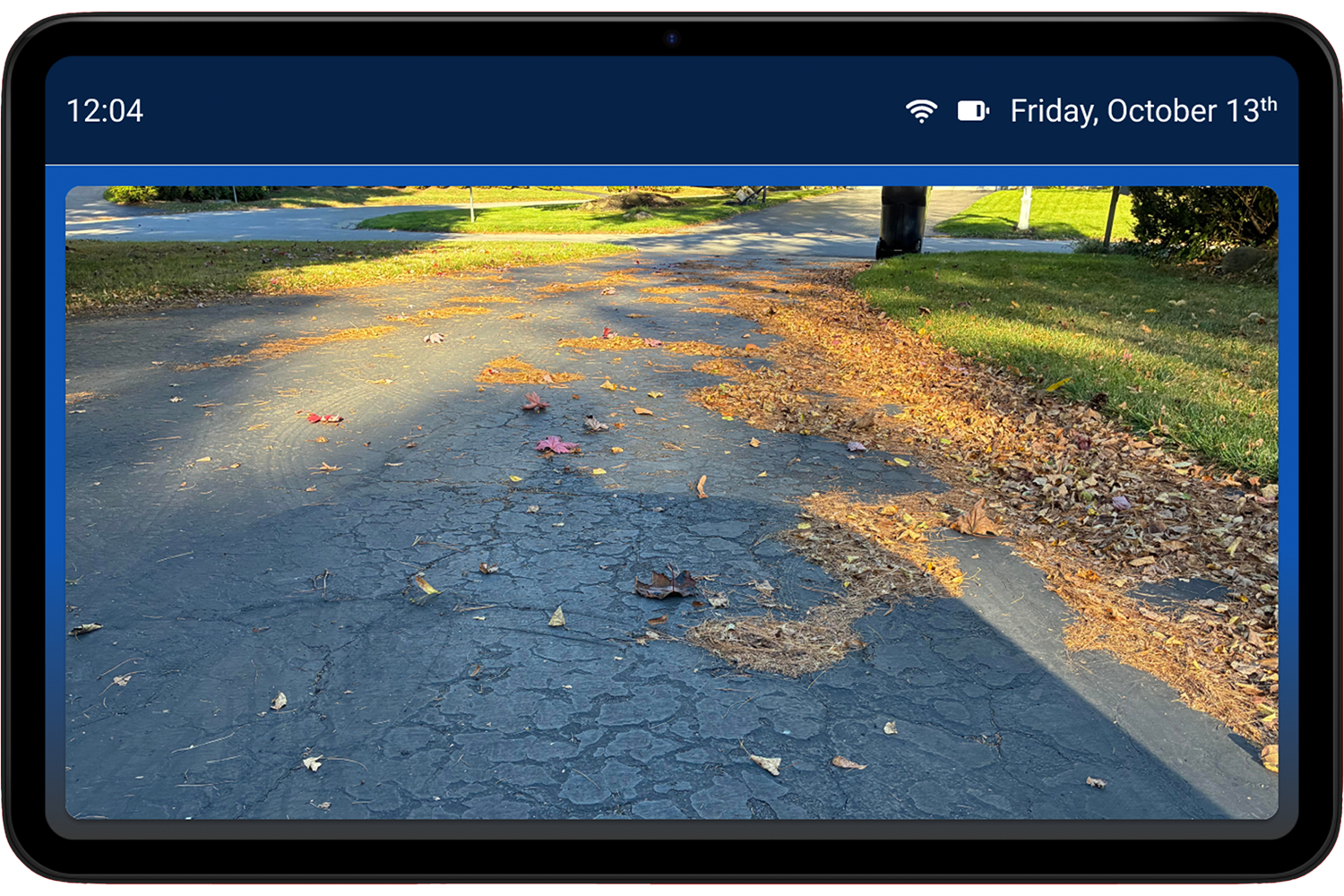
The backup camera screen was designed to take up almost the entire area, to give users the most information while reversing. The camera feed sits on a floating card, which is used to display any type of feature.
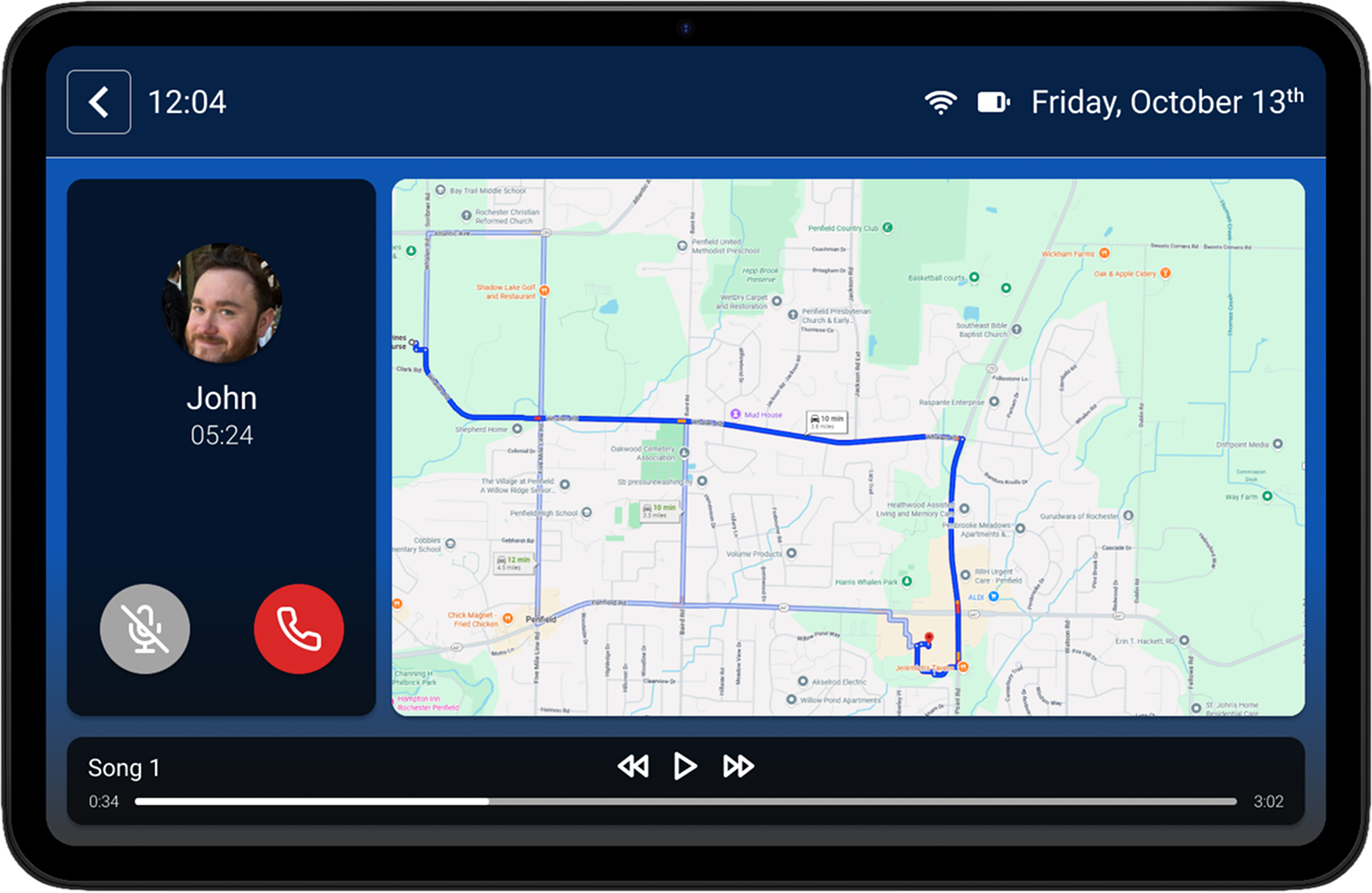
The multi-info screen is displayed while a user is driving and multiple features are in use. The layout always prioritizes the navigation card and pushes it the the right side of the screen. Any music or radio playing is displayed on the bottom and active phone calls are displayed on the left. These layout choices were tested with ease of access and safety in mind. The phone sitting on the left gives the user the shortest distance to hang up the call if needed. The goal of this screen was providing essential information to a user without sacrificing safety while driving.
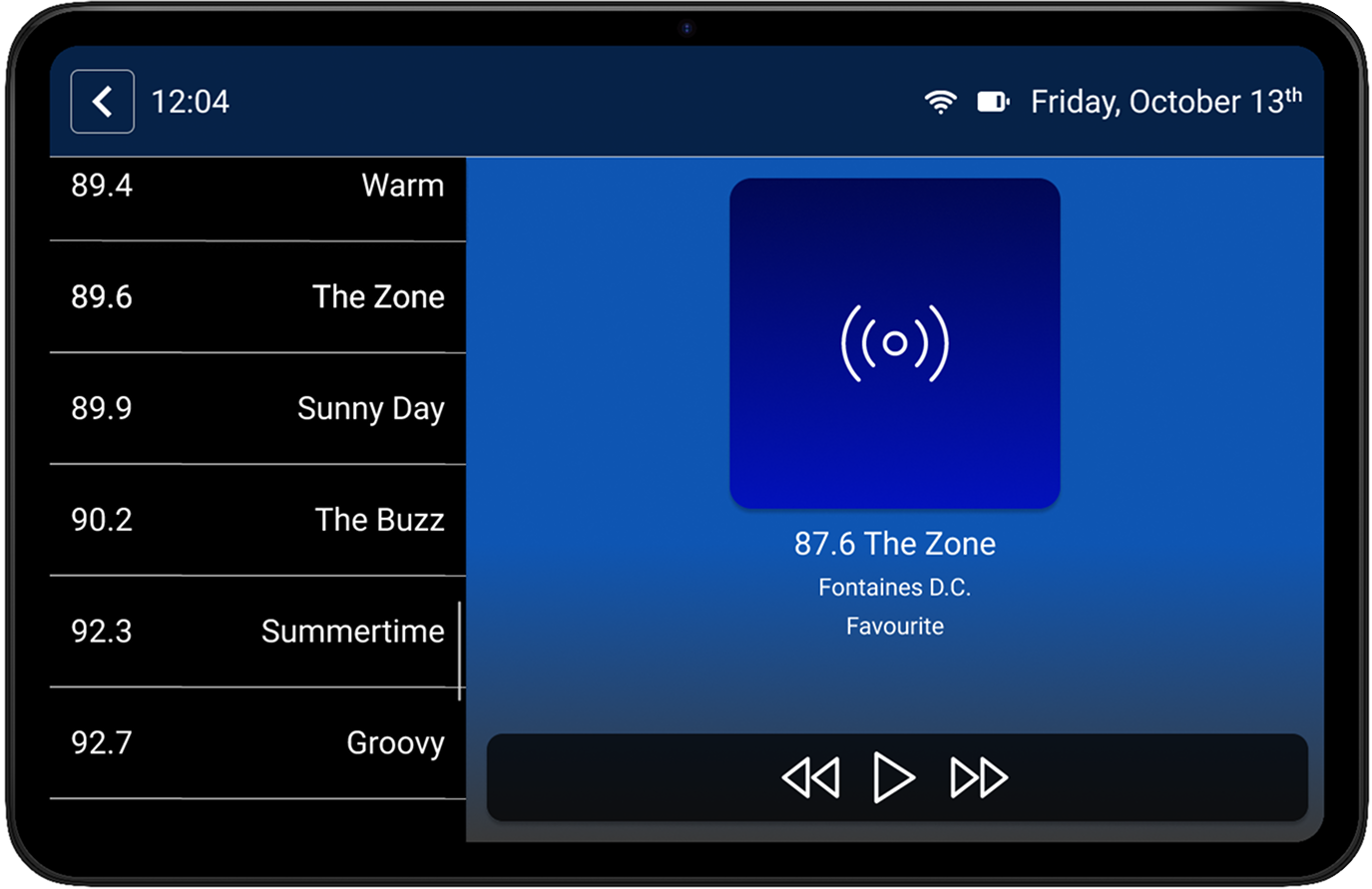
Workflow Diagram
Conclusion: This exercise presented unique challenges not only in design but accessibility and requirements. At all times needing to factor in driver safety while designing informational or multi-option screens was a complex and enjoyable test. Not having as many commonly used templates allowed for experimentation while testing and designing. I found this project helped developed a deeper pre-design and iterative process to my UX/UI skills.