Xerox Connect For Apps
Role: UI Designer
Tools: Axure RP
Overview
Connect For apps run on Xerox multifunction printers and let people print from or scan to cloud services. This was my first professional project at Xerox, and over two years it grew into a full overhaul of multiple apps. I designed features, screens, workflows, built reusable patterns, and component libraries other designers now reference. I also worked with developers to fix bugs and ship new features.
Project Page: https://appgallery.services.xerox.com/#!/home/app-details/55ca8e3a-8abd-4d41-80ea-c280312a444c
Note: The images on this page are screenshots from the Xerox website and are a lower resolution to the actually product interface.
The Problem
The apps used an older design system that Xerox was moving away from. The new style was more modern, streamlined, and clean from a user’s journey perspective. Since this was the first application updating to the new style, each subsequent app risked inconsistency because there was no shared set of patterns for designers to build from.
My Process
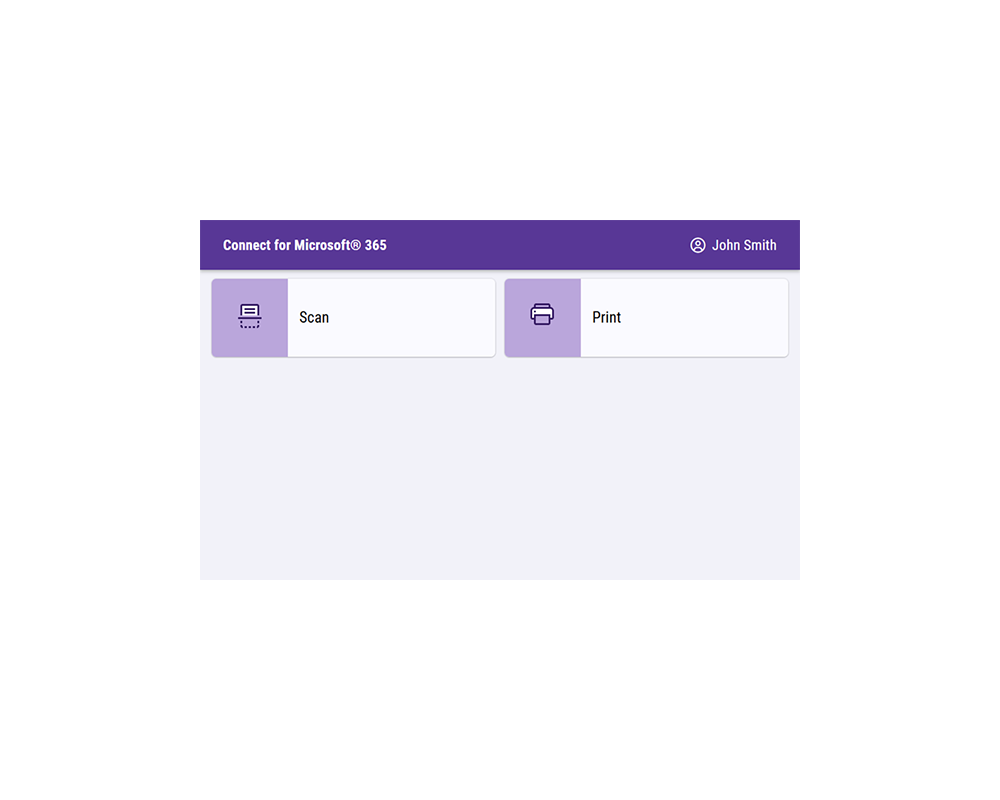
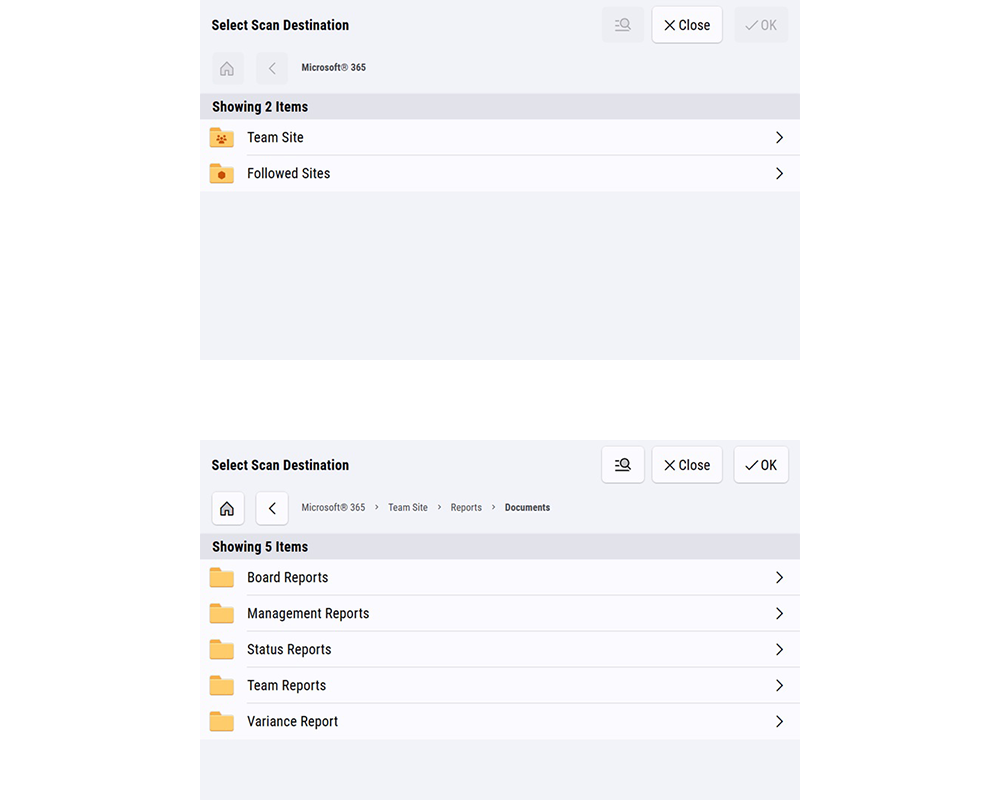
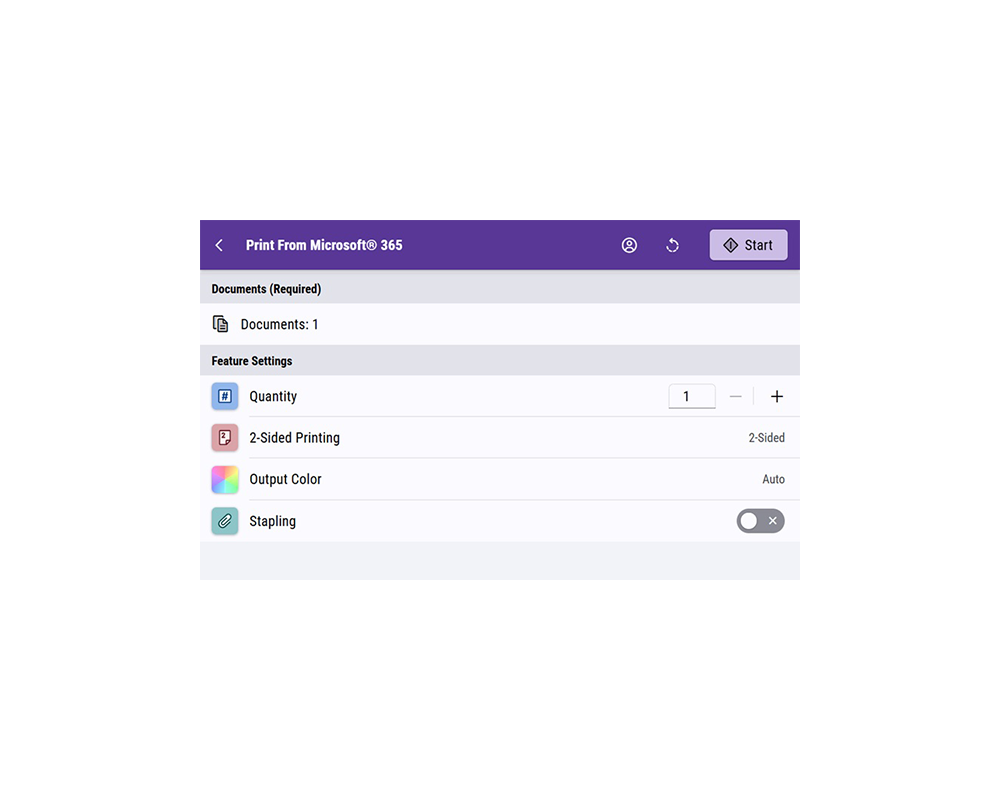
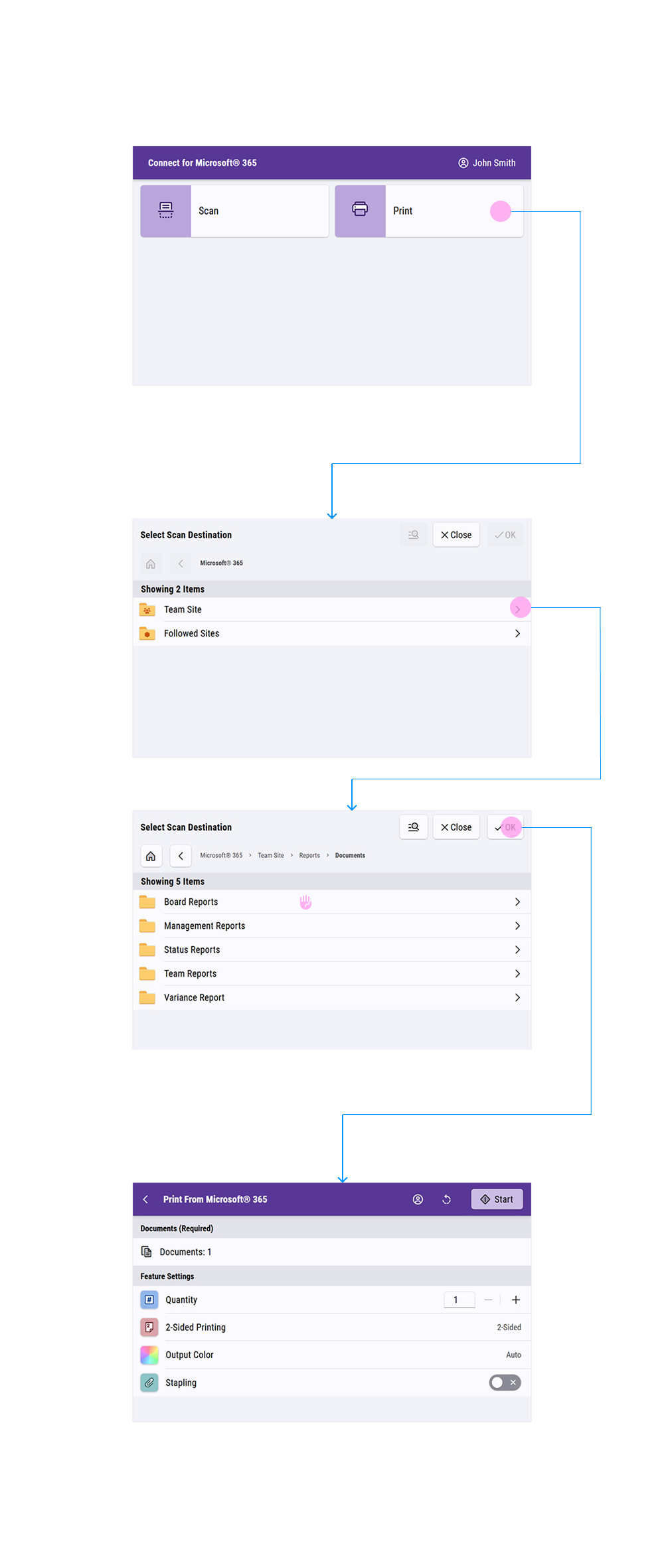
Before designing individual apps, I assembled each feature, theme, and pattern into a reference set so other designers could build consistent screens. This included two full Axure libraries (for different size screens) that included hundreds of components. Then I started working on fully documented templates that appear in most applications such as the switchboard, browse workflow, log-in modals, and main screens. The browse workflow specifically was a collaborative project that went through many design meetings and iterations before coming to a robust system used in most applications. I led the redesign of the main screen, which included the order of settings in a list that would be shared throughout all apps, so the user has consistent experience.
Workflow Diagram Example
Outcome
I delivered the full rebuild of the Connect For apps. The pattern libraries and templates I built were adopted beyond Connect For Apps and are now used across other App Gallery products. The redesigned apps are live in the Xerox App Gallery.